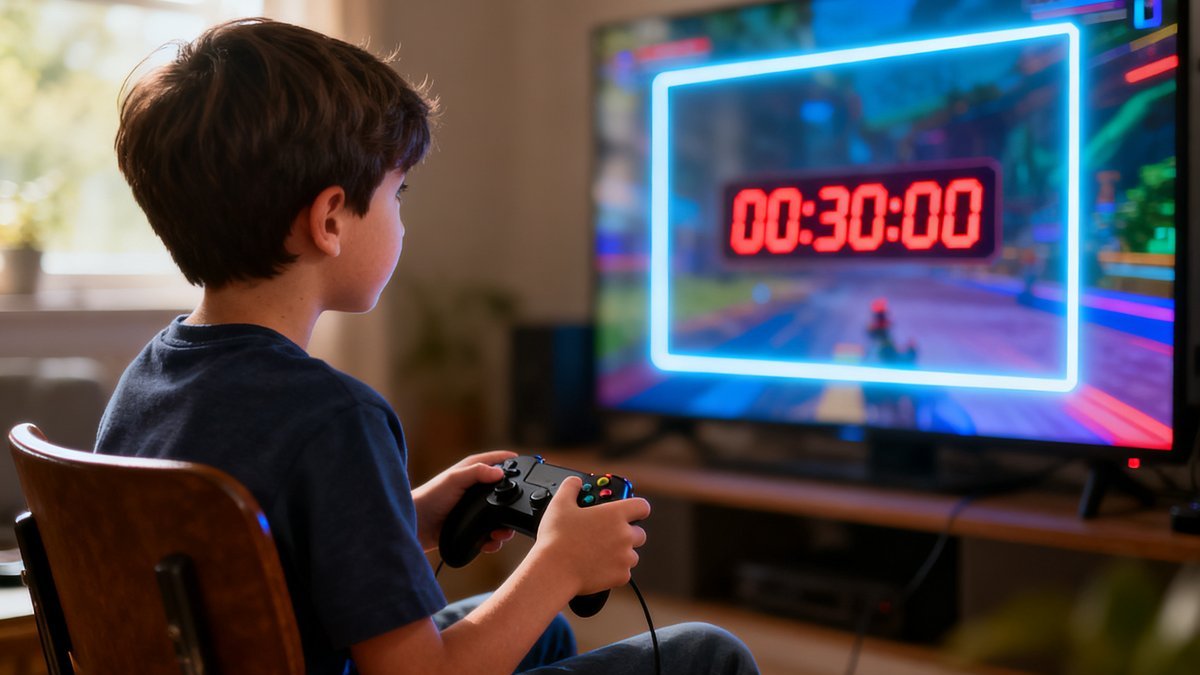
Video games offer benefits including problem-solving, creativity, social connection, and stress relief when used in moderation.
The ESRB rating system helps you choose age-appropriate games: E (Everyone), E10+ (Everyone 10+), T (Teen), M (Mature 17+).
Setting time limits before starting a gaming session is more effective than trying to stop a child mid-game.
Be specific about what games are allowed and what boundaries exist rather than treating all gaming the same.
Playing video games with your child is the best way to understand their appeal and connect with their interests.
Understanding Video Game Content Ratings and Choosing Appropriate Games
Video games vary enormously in content, from gentle puzzle games suitable for preschoolers to mature titles with graphic violence and adult themes. Understanding the rating system helps you make informed choices about what games are appropriate for your child.
The ESRB (Entertainment Software Rating Board) rating system is the standard in North America. E (Everyone) means content is suitable for all ages. E10+ (Everyone 10+) includes slightly more fantasy violence or mild language. T (Teen) is suitable for ages 13 and up. M (Mature 17+) contains intense violence, blood, sexual content, or strong language. AO (Adults Only) is rare and not intended for children.
ESRB ratings also include content descriptors that tell you specifically why a game received its rating: Comic Mischief, Fantasy Violence, Mild Language, Blood, Intense Violence, Sexual Content, Use of Alcohol, and others. Use these descriptors to make nuanced decisions — an E10+ game with Fantasy Violence may be fine for your 8-year-old, while one with Crude Humor might not align with your family's values.
PEGI ratings are used in Europe and are different from ESRB, but most digital storefronts display ratings appropriate to your region. PEGI 3, 7, 12, 16, and 18 roughly correspond to ESRB's E through M categories. If you purchase games from international stores or import physical games, check which rating system is being used.
Beyond official ratings, use resources like Common Sense Media, which provides detailed reviews of games from a family perspective. Watch gameplay videos on YouTube to see actual content rather than relying on marketing. When in doubt, play the game yourself or play alongside your child to experience the content firsthand.
Every child develops differently, and these general parenting guidelines should be discussed with your healthcare provider for personalized advice.
Setting Effective Time Limits and Gaming Schedules
Time limits for gaming prevent it from displacing sleep, homework, physical activity, and social interaction. The right amount of gaming time varies by age, schedule, and individual child, but general guidelines are 30-60 minutes per day for younger children and 1-2 hours per day for teens on school days, with flexibility on weekends.
The most common mistake parents make with gaming time limits is trying to enforce a hard stop in the middle of a gaming session. Many games do not allow saving at any time, and some online games penalize players who leave mid-match. Set time limits before the session starts and use a timer or alarm so your child knows when the session will end.
Use the platform's built-in parental controls to enforce time limits automatically. PlayStation, Xbox, Nintendo Switch, and PC platforms all allow you to set daily playtime limits. When the limit is reached, the console locks. This removes you from the role of the bad guy enforcing limits and allows the technology to do it consistently.
Consider a schedule that includes gaming after homework and chores are completed, with a hard stop before dinner or before bedtime. Gaming right before sleep can interfere with sleep quality due to cognitive arousal and blue light exposure. Establish a no-gaming period of at least one hour before bedtime.
Be flexible when appropriate. A child who has had a rough day may need gaming as stress relief. A weekend gaming session with friends is valuable social time. A new game release is exciting and may warrant extra time. The goal is balance, not rigid control. When you are flexible, your child is more likely to respect the boundaries you set.
Managing Online Gaming: Social Interaction, Voice Chat, and In-Game Purchases
Online gaming adds layers of complexity to video game boundaries. Your child is interacting with real people, some of whom may be adults or older teens. Voice chat can expose children to inappropriate language, harassment, or predatory behavior. Understanding the social aspects of online gaming is essential for keeping your child safe.
Most gaming platforms allow you to restrict communication settings. Set voice chat to friends only (people your child knows in real life) or turn it off entirely for younger children. Teach your child not to share personal information in game chat, not to accept friend requests from strangers, and to block and report anyone who makes them uncomfortable.
In-game purchases and loot boxes are a significant concern. Many games are designed to encourage spending through limited-time offers, cosmetic items, and randomized loot boxes that function similarly to gambling. Disable in-game purchasing in your platform's parental controls. Discuss advertising and manipulation tactics with older children.
Know who your child is playing with online. Ask about their online gaming friends the same way you ask about school friends. Encourage your child to play with people they know in real life. If your child wants to play with someone they met online, ask questions: How long have you known them? Have you video chatted? Do you know their real name?
Keep gaming devices in common areas of your home rather than in bedrooms. This allows you to monitor the content and conversations without hovering. A child gaming in the living room is more likely to follow rules and less likely to encounter problems than a child gaming behind a closed bedroom door.
Trust your instincts as a parent. You know your child better than anyone else. When something does not feel right, speak up and ask questions.
Frequently Asked Questions
Are video games bad for my child's brain?
Research shows mixed effects. Excessive gaming can displace other activities and is associated with attention problems in some studies. However, moderate gaming is associated with improved spatial reasoning, problem-solving skills, and hand-eye coordination. The effect of gaming depends on the content, amount, and context. Balanced gaming as part of a well-rounded life is generally not a concern.
How do I know if my child is addicted to video games?
Gaming addiction, officially Internet Gaming Disorder, is characterized by impaired control over gaming, increasing priority given to gaming over other activities, and continuation or escalation of gaming despite negative consequences. If gaming is significantly affecting your child's sleep, school performance, relationships, or physical health, and they cannot cut back despite wanting to, professional help may be warranted.
Should I let my child play M-rated games?
M-rated games are rated for ages 17 and older for good reason. They typically contain intense violence, blood, gore, sexual content, or strong language that is not appropriate for younger children. Consider your individual child's maturity, but do not ignore the rating system. If your child wants to play a specific M-rated game, research the content together and make an informed decision.
My child only wants to play video games and nothing else. What should I do?
If gaming has crowded out all other interests, start by setting firm limits on gaming time and making other activities more accessible. Require gaming to be earned through completing homework and chores. Schedule non-gaming activities your child enjoys. If your child resists all other activities and shows signs of withdrawal or distress when not gaming, consider seeking professional support.
Conclusion
Video games are a normal part of modern childhood and can offer real benefits when used in moderation. By choosing age-appropriate games, setting consistent boundaries, staying engaged with your child's gaming interests, and keeping communication open, you can help your child develop a healthy relationship with gaming that balances fun with everything else life has to offer.
This information is provided for general parenting guidance and educational purposes. Always consult with your healthcare provider for medical advice specific to your situation.
Recognizing Healthy vs Problematic Gaming
Video gaming itself is not harmful, and many children benefit from the problem-solving, strategic thinking, and social connection that well-designed games provide. The key is distinguishing healthy engagement from problematic use. Healthy gaming includes time limits that are consistently followed, maintained interest in other activities, good sleep and hygiene habits, and the ability to stop gaming when asked without significant distress. Problematic gaming includes neglecting schoolwork, hobbies, or social activities, irritability when not gaming, declining grades, and increasing isolation from family and friends.
If gaming is causing problems in your family, start by examining the underlying reasons for excessive gaming rather than simply restricting access. Many children game excessively because they feel successful and in control in games in ways they do not in real life. Addressing the underlying issues, whether academic struggles, social difficulties, or emotional challenges, is more effective than focusing on gaming time alone. Work with your child to find a balanced schedule that includes both gaming and other activities. A collaborative approach teaches self-regulation skills that serve children far beyond the gaming context.